Compliance Tracker

Collect compliance evidence from suppliers, staff and clients.

Each participant gets a private portal link and never needs an account. They answer your questions and upload files there. Reminder emails go out on your schedule, and every version you review stays on record.

Free trial, no card required. The people you ask never need an account.

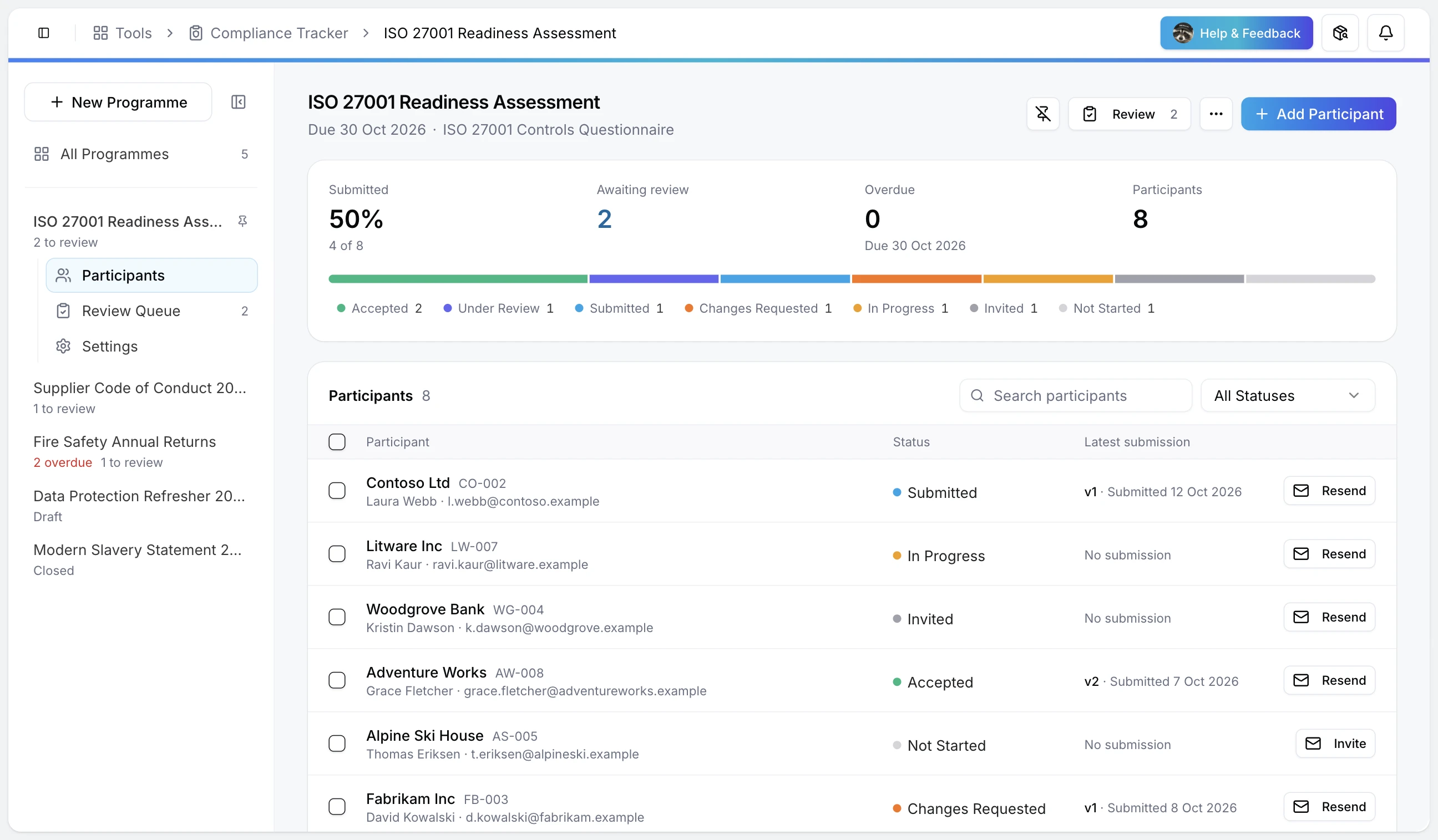
A Compliance Tracker programme in Raq.com, listing participants with their status and latest submission

One supplier request, from invite to accepted

Northgate Facilities needs security and insurance evidence from its print supplier, Harbour Print. Here's that request from Mon 5 Oct to Wed 14 Oct, using the labels and statuses you'll see in Compliance Tracker.

Mon 5 Oct

Set up the request

Give the programme a title, a deadline and a short description, then link the questions you built in Raq.com Form Builder as its assessment form. Supporting files come in through the portal. Reminder rules go in at the start: a set number of days before the deadline, after the invite or after a quiet spell.

Mon 5 Oct

Invite by link

Add the supplier with a contact name and email, or import a CSV. Send Invites emails every contact a link to their own portal and logs it against them. Anyone with that link can open the portal, so it only goes to them.

Wed 7 Oct

The supplier answers in their portal

Tom at Harbour Print opens the link, sees the deadline, works through the assessment and uploads the supporting files, adding a label where the file name isn't clear. His status moves from Invited to In Progress to Submitted as he goes.

Thu 8 Oct

A first read on arrival

When you open the submission, Raq.com reads the answers alongside each file's name and label, then lists gaps, risks and anything worth checking. Here it spots that the penetration test file looks older than the test date Tom gave. It's a summary to help the reviewer, and the decision stays with you.

Thu 8 Oct

Ask for what's missing

Reject the old file, accept the others, then Request Changes and say what you need. Tom sees each file's status and your note on his portal. His next upload starts version 2, so the version you reviewed never changes underneath you.

Tue 13 Oct

Reminders do the chasing

Five days pass with no activity, so the reminder rule emails Tom again. Reminders only go to participants who still owe something, at most once a day per rule, and each one is logged. Calls and emails you make yourself can be logged too.

Wed 14 Oct

Accept and keep the record

Version 2 arrives with the current report and you accept it. Tom's portal shows it as accepted and stops taking files. Both versions, your notes and every logged contact stay on his record, and the participant list exports to CSV with invite, submission and review dates.

Also in Compliance Tracker

A queue for reviewers

Each programme has a Review Queue. New submissions sit at the top, and each one stays there until you accept or reject it.

Spreadsheets in and out

Import participants from a CSV, and export the list with each status and the invite, submission and review dates.

Overdue at a glance

Each programme shows how many have submitted, how many are waiting for review and who is overdue.

Log the human contact

Record calls, emails, meetings and notes against a participant, with a next action and a due date.

Close on time

Closing a programme stops new submissions on every portal. Everything already received stays readable.

Works with your AI agent

Connect Claude, ChatGPT or another agent to Raq.com and it can create programmes, add and invite participants, check who is outstanding and download evidence.

Compliance Tracker is part of Raq.com

Create a free Raq.com account and Compliance Tracker is switched on and pinned in your sidebar. The people you collect evidence from never need an account.

Your account
Sign up with your email. Compliance Tracker is switched on and pinned in your sidebar, and you land in it once your account is set up.
Your participants
They only need the portal link from their invite. No account, password or app.
Cost
The free trial lets you try every AI tool once, with no card required. Paid plans start at $39 per user a month and include every Raq.com tool. The first read of each submission uses your plan's AI allowance.

Set up your first programme

Create the programme, link your questions, add participants and send the invites.

Start free on Raq.com

Already on Raq.com? Sign in